 Mailroom
Help · AI features
Auto Labels
New mail labeled Marketing, News, Social, Pitch or Updates, by itself.
Auto Labels puts labels on new mail in your Inboxes by itself, so you can tell at a glance what each email is. Turn it on in Settings › AI, under Auto Labels. When you do, mail from the last 14 days gets labels too.
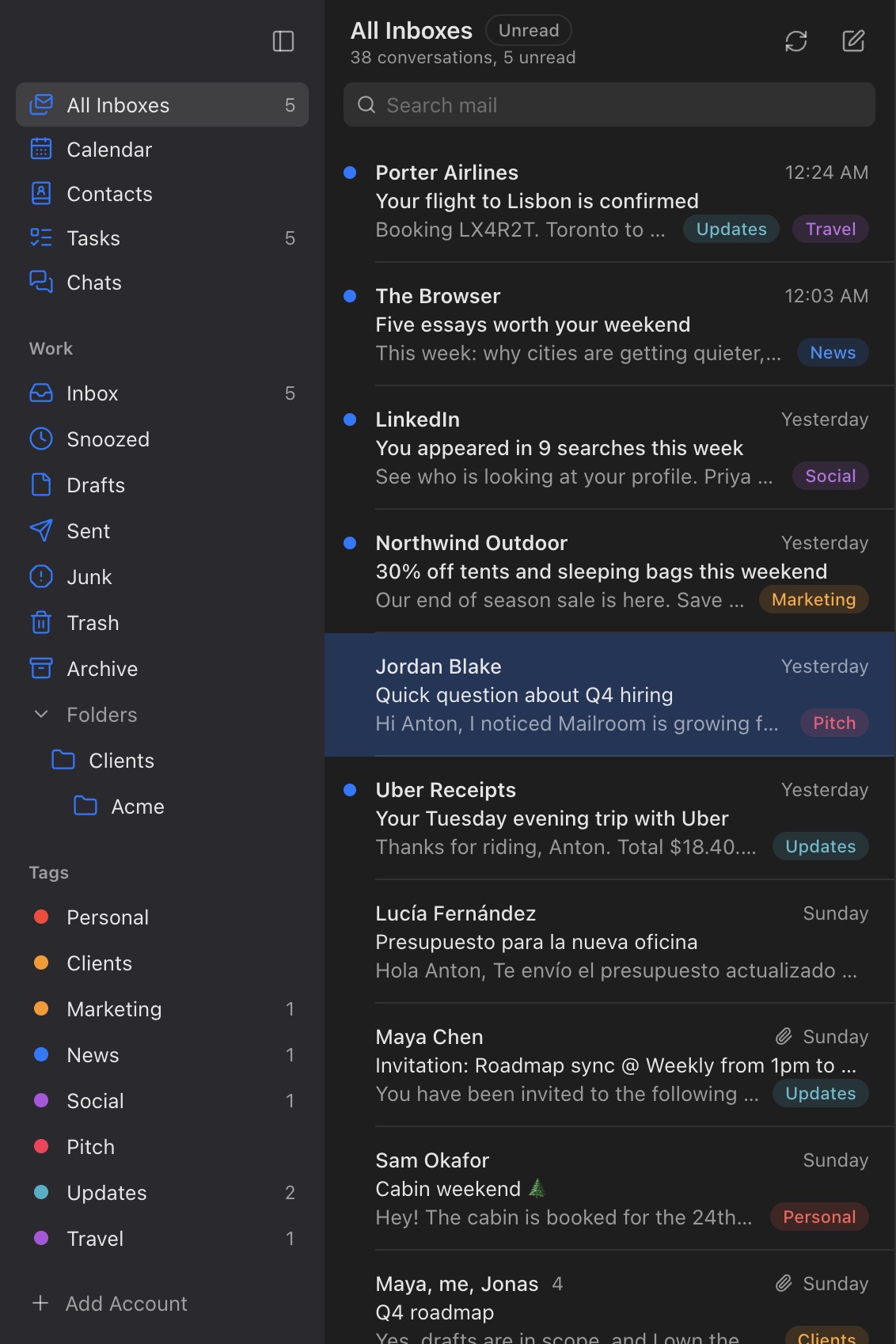
The built-in labels:
- Marketing: sales, deals, coupons and product launches from companies.
- News: newsletters and digests you subscribed to.
- Social: notifications from LinkedIn, Facebook, Instagram, X, Reddit and other communities.
- Pitch: cold outreach from people or companies you don’t know.
- Updates: receipts, shipping, bookings, statements, security alerts, sign-in codes and app notifications.
Uncheck the ones you don’t want. Mail a real person wrote to you usually gets no label.
Your own labels. Click Add a label…, give it a name, and describe the mail it’s for, like "Flights, hotels, trains and trip plans" for Travel. The AI puts it on new mail that fits. Stop stops labeling with it; the label stays on the mail it’s already on.
Teach it. Add or remove a label on one sender’s email yourself (press l, or the tag button), and Mailroom remembers it for that sender: their new mail always gets that label, or never does. Undo in the message that appears takes it back. Settings › AI lists the senders you taught, each with Forget.
If you already have a tag called News (or Marketing, Social, Pitch or Updates), Mailroom uses it for that label.
Labels are tags: they show on the mail and in the sidebar, and tag:news finds them.
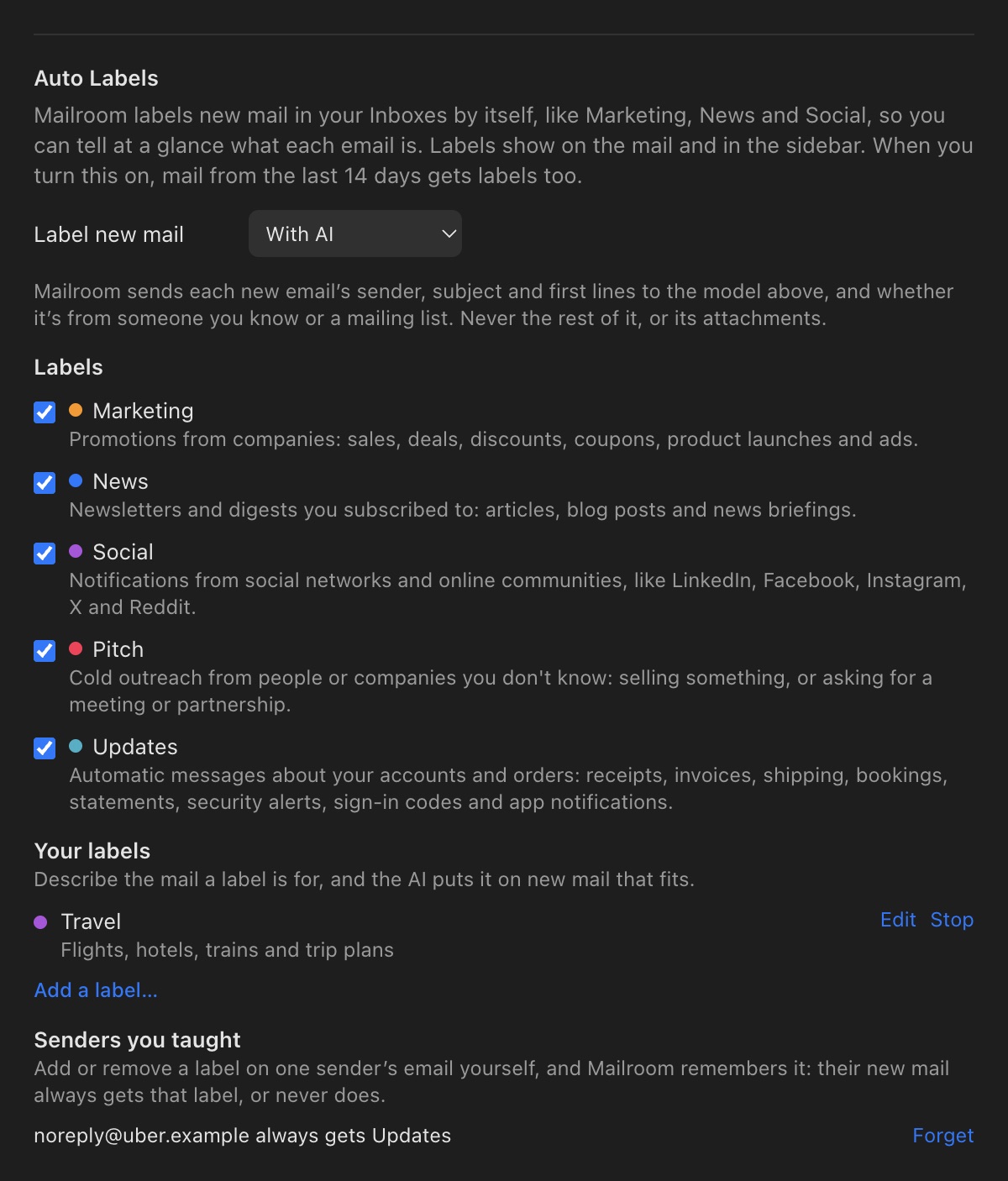
With AI or on your Mac only. With AI, Mailroom sends each new email’s sender, subject and opening lines to the AI you set up in Settings › AI, about 20 emails to a request, with whether it’s from someone you know and whether it came from a mailing list. The rest of the email, its attachments and the mail you send never go. With a model on your Mac, nothing leaves it. On this Mac only sends nothing: Mailroom labels what it can tell from the sender and the mail’s headers (social networks, newsletters, receipts and notifications, and sales), and your own labels need AI.
If the AI can’t be reached, new mail waits for its labels and Mailroom tries again a few minutes later.
Still stuck? or email asavytski@gmail.com. A person reads every message.