 Mailroom
Help · AI features
Apple Intelligence
Updated
Mailroom’s AI with the model built into macOS, on your Mac. No key, no download, nothing to pay.
Mailroom can use Apple Intelligence, the model built into macOS, for its AI features, as Apple Mail does. There’s no key to paste and nothing to download or pay for, and your mail never leaves your Mac.
It needs a Mac with Apple silicon and macOS 26 or later, with Apple Intelligence turned on in System Settings.
Turn it on
In Settings › AI, choose Apple Intelligence. Once it says it’s ready, Reply with AI, Proofread, Translate, Summarize, Auto Labels and the Assistant all use it.
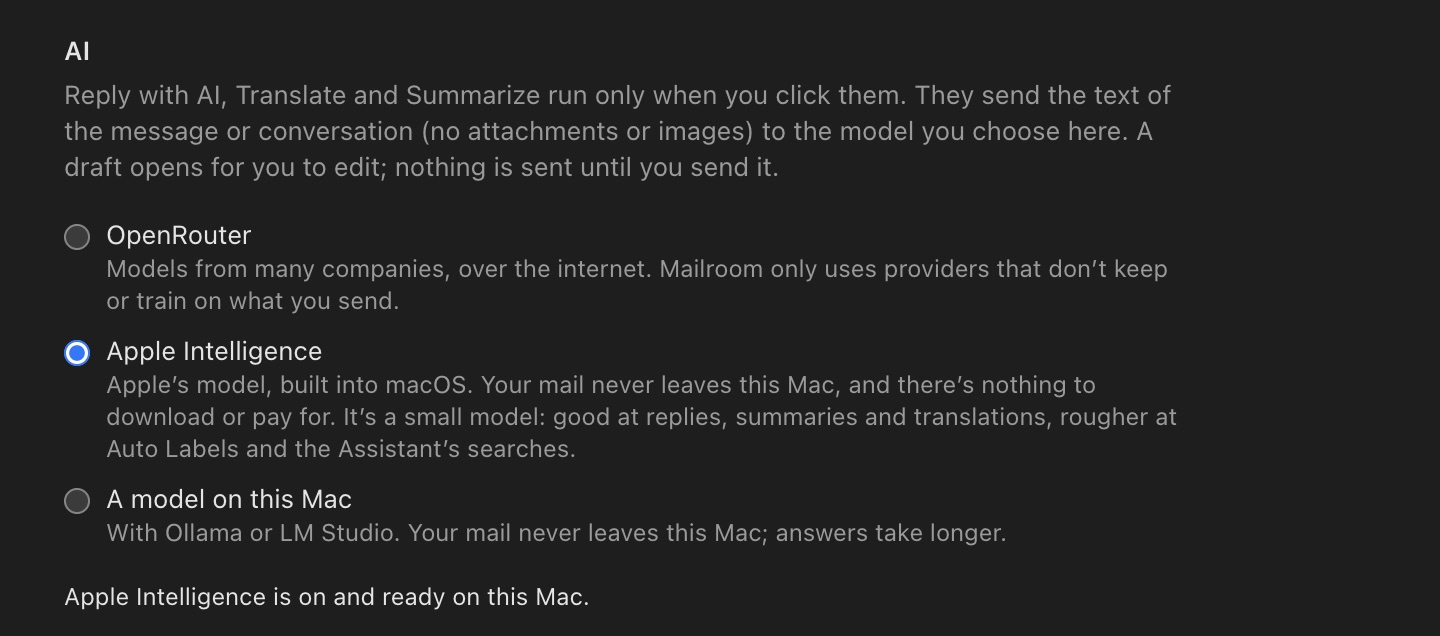
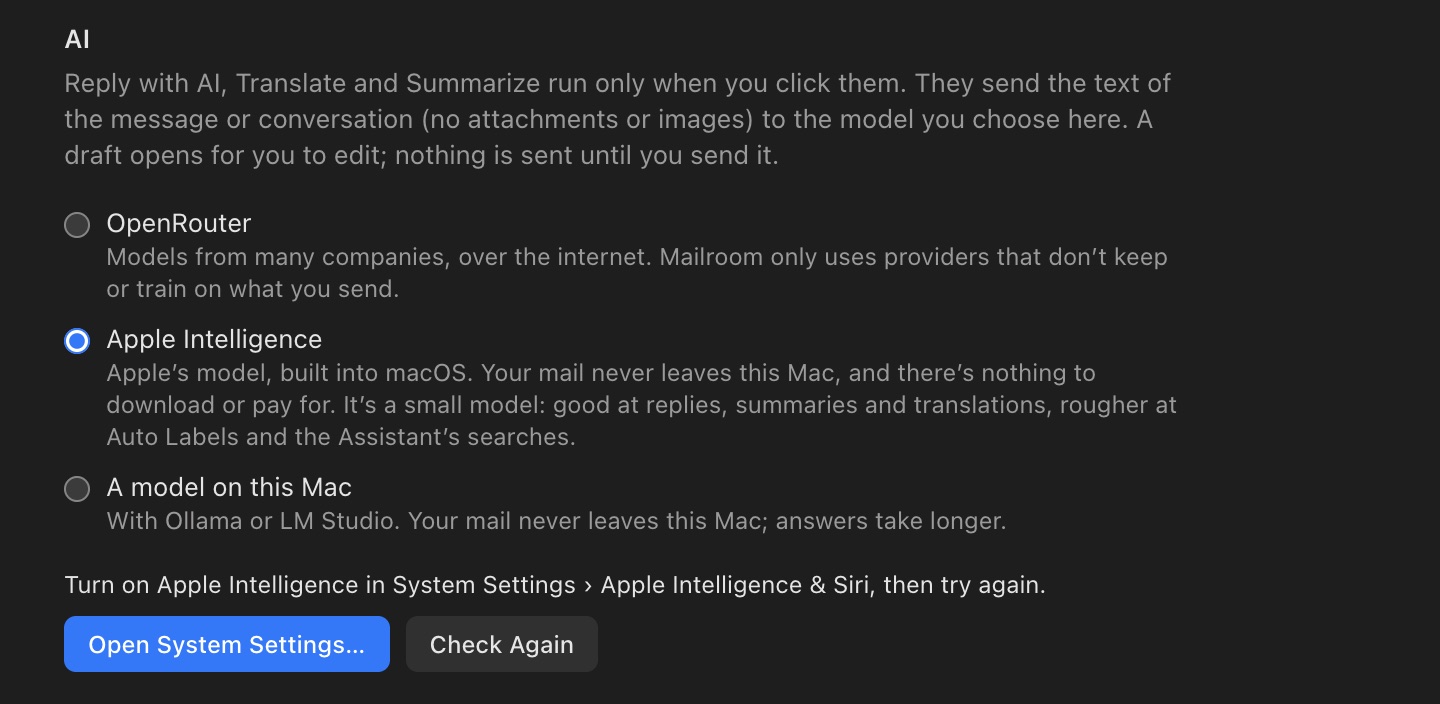
If Mailroom asks you to turn on Apple Intelligence, click Open System Settings…, turn it on in Apple Intelligence & Siri, and come back. Mailroom checks again when you do. Right after you turn it on, macOS downloads Apple’s model, which can take a while; click Check Again later.
What it’s good at
Apple’s model is small and runs on your Mac, so it’s quick, it’s free and it works offline. It does best with short, clear jobs: drafting a reply, proofreading, translating an email and summarizing a conversation. With the Assistant, ask for one thing at a time, like "Archive mail from news@acme.com". Vague requests ("what needs an answer this week?") and Auto Labels go better with a bigger model on OpenRouter.
It reads a few pages at a time. For a long conversation, Mailroom shortens the earlier messages and keeps the one you’re answering, and it translates a long email in parts.
The first request after Apple Intelligence has sat unused for a while can take several seconds, while macOS loads the model. After that, answers start in under a second.
If it isn’t there
- Intel Macs can’t run Apple Intelligence, and macOS before 26 doesn’t have it. Mailroom works there with OpenRouter, or a model on your Mac with Ollama.
- "Apple Intelligence doesn’t work in this language yet": it works in the languages Apple Intelligence supports. For Translate and Summarize, pick a language it supports in Settings › AI › Language, or use OpenRouter.
- "Apple Intelligence’s safety rules stopped it": Apple’s model turned that text away. Try OpenRouter for that email.
Still stuck? or email support@getmailroom.dev. A person reads every message.