 Mailroom
Help · Getting started
Dark mode, text size and colours
Light or dark, an accent colour, bigger text and a roomier list.
It’s all in Settings › Appearance.
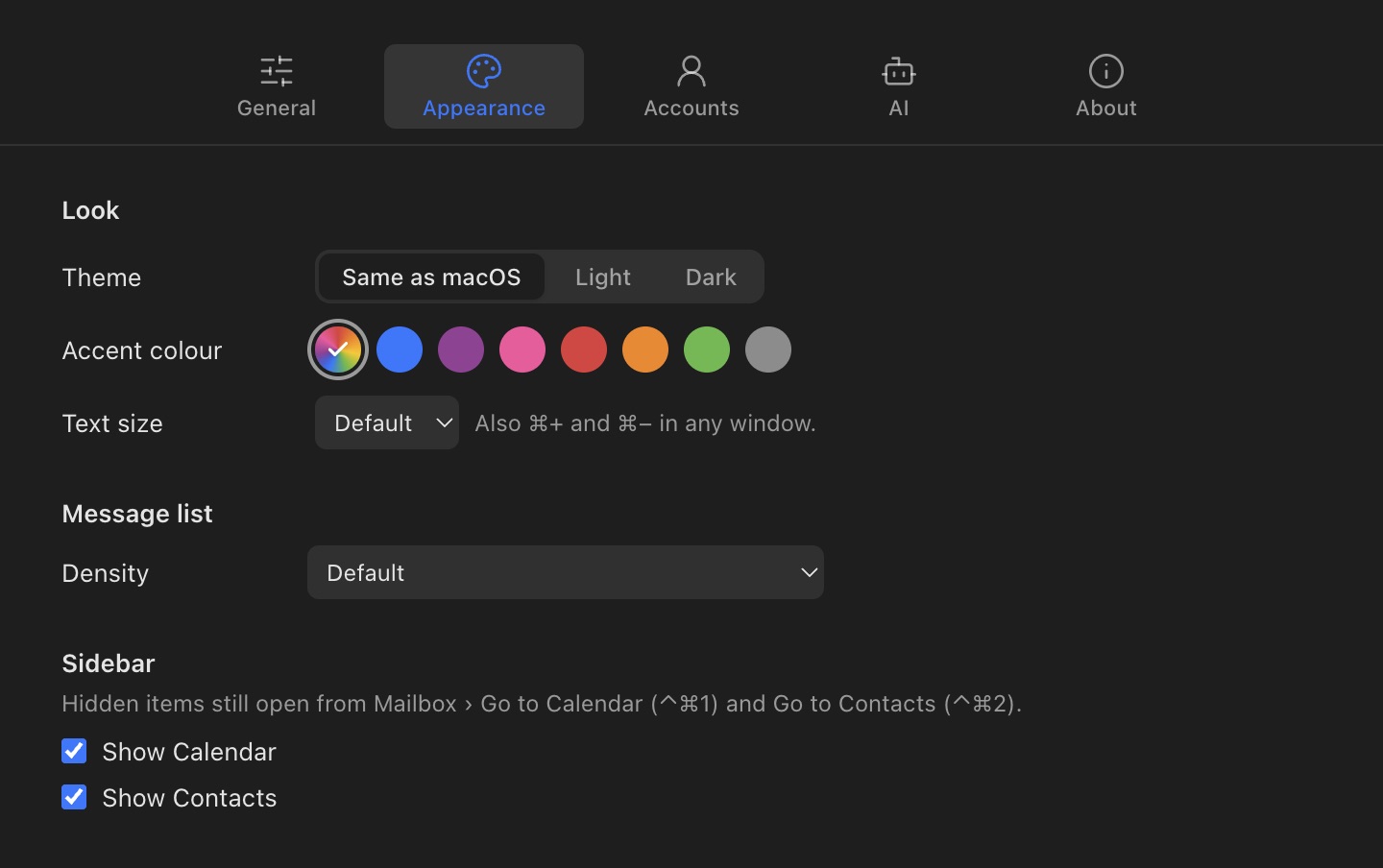
- Theme: Same as macOS, Light or Dark.
- Accent colour: the colour of buttons and selections. Same as macOS, or one of Mailroom’s.
- Text size: Smaller, Default, Larger or Largest. ⌘+ and ⌘− change it from any window, and ⌘0 puts it back.
- Density: Compact puts each message’s subject and preview on one line; Comfortable gives rows more room.
- Sidebar: hide Calendar or Contacts if you don’t use them. They still open from the Mailbox menu.
Still stuck? or email asavytski@gmail.com. A person reads every message.