 Mailroom
Help · Mail
Schedule send
Updated
Write now, send later: tomorrow morning, Monday, or a time you pick.
Write your message, then click the arrow next to Send and pick when it goes:
- Tomorrow morning (8 AM), Tomorrow afternoon (1 PM) or Monday morning (8 AM)
- Pick date and time for any other time, a minute from now or later
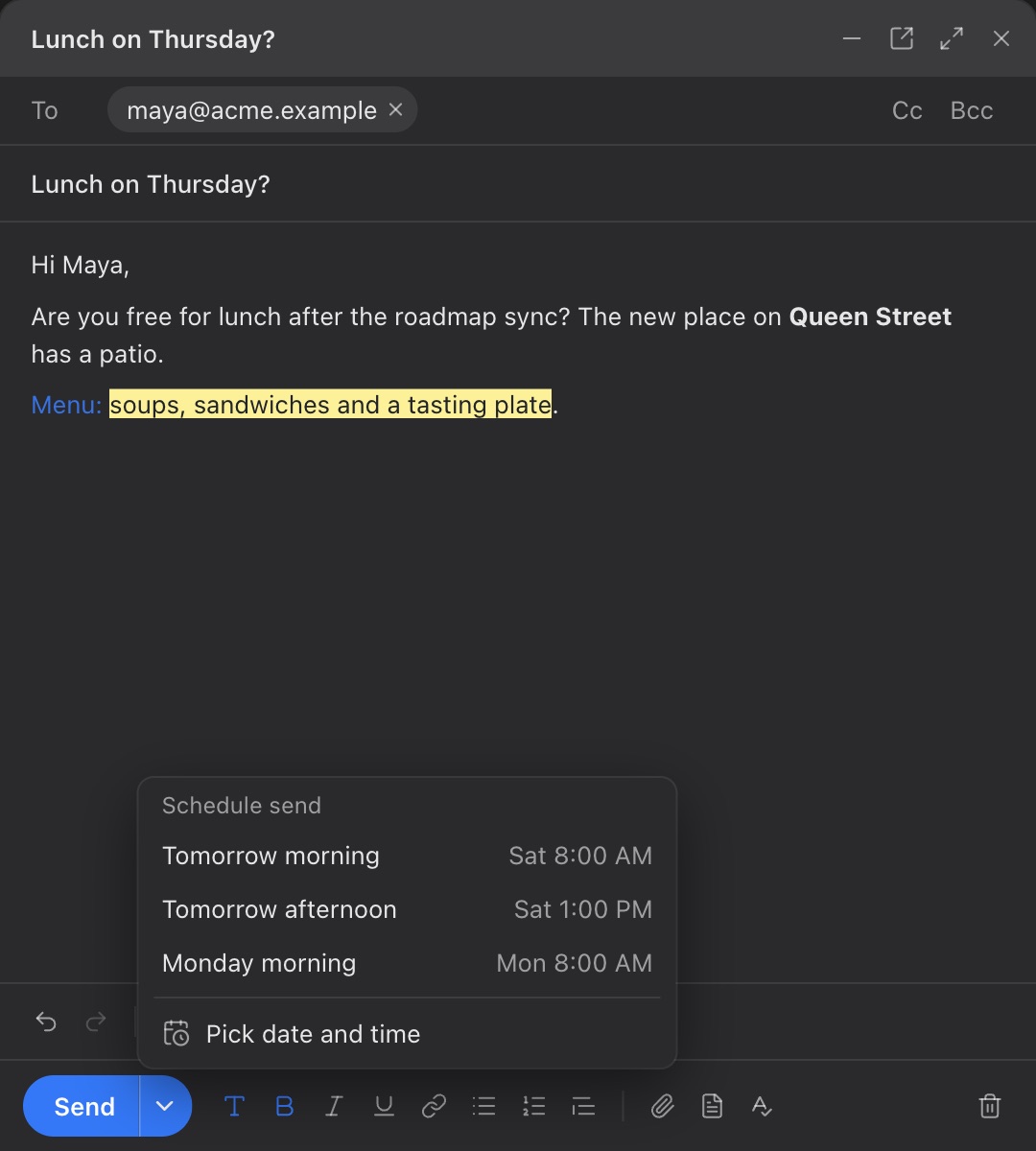
The message waits on your Mac, dated for the time it goes. Undo on the note that says when it’s scheduled takes it back to the composer.
What’s scheduled
Scheduled shows in the sidebar while a message is waiting. Click it to see each one, when it goes and who it’s to:
- Send Now sends it straight away instead.
- Edit takes it off the schedule and opens it, to change, send or schedule again.
When it goes
Mailroom sends it at its time while Mailroom is open, as Apple Mail’s Send Later does. If your Mac is asleep or Mailroom is closed then, it goes as soon as Mailroom opens again. Offline, it waits for the connection, like any message.
While it’s scheduled, the message isn’t in your mail server’s Drafts folder, so it can’t be sent twice from your phone. Editing it puts it back there.
Still stuck? or email support@getmailroom.dev. A person reads every message.