 Mailroom
Help · Mail
Signatures
Updated
HTML or plain signatures for each account, with one for new mail and one for replies.
Each account has its own signature in Settings › Accounts: click the account to open its settings. Paste HTML from a signature generator, or type plain text, and click Save Signature. The preview shows how it’ll look.
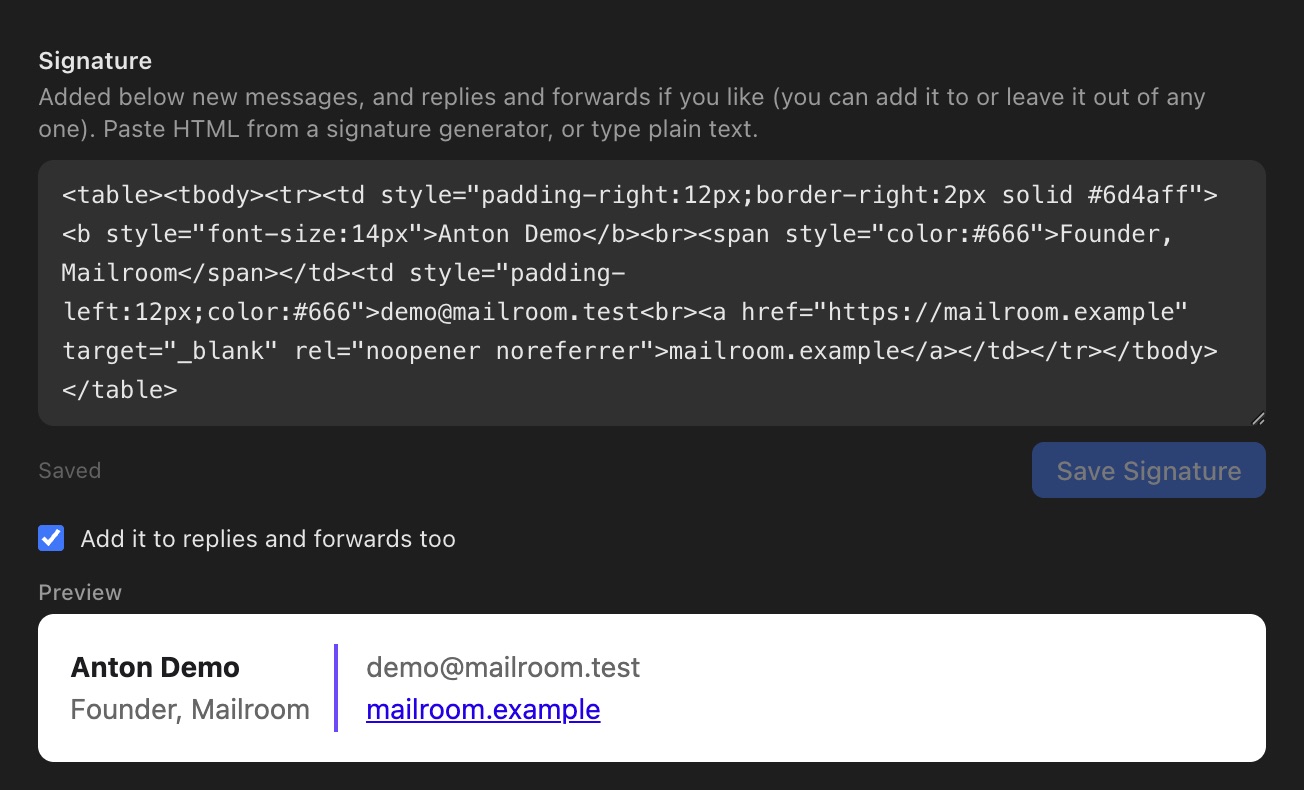
New messages always get it. Replies and forwards get it too, unless you turn off Add it to replies and forwards too. In any message you can still add it or leave it out.
More than one signature
Click Add another signature, like a shorter one for replies to keep several, each with a name such as Full or Short. Then pick the one New messages start with and the one Replies and forwards start with (either can be No signature). In any message, click the signature to switch to another or leave it out.
Still stuck? or email support@getmailroom.dev. A person reads every message.